10. Interface and Controls
10.1 Man-in-the-Loop
- One of RVP's signature weapon features.
- Two interfaces: TV guidance (HITL_TV) and command-line TV guidance (HITL_CLOS_TV).
HITL_TV
- After launch, the missile's TV/thermal video feed opens.
- The operator selects a target point with the crosshair and presses the anchor key (default
R) to anchor or re-anchor; the missile tracks that point. - The HUD shows speed, altitude, distance, flight time, lock state, and operation hints.
- Supports color/black-and-white/thermal switching, mouse-wheel zoom, airburst detonation, and exit.
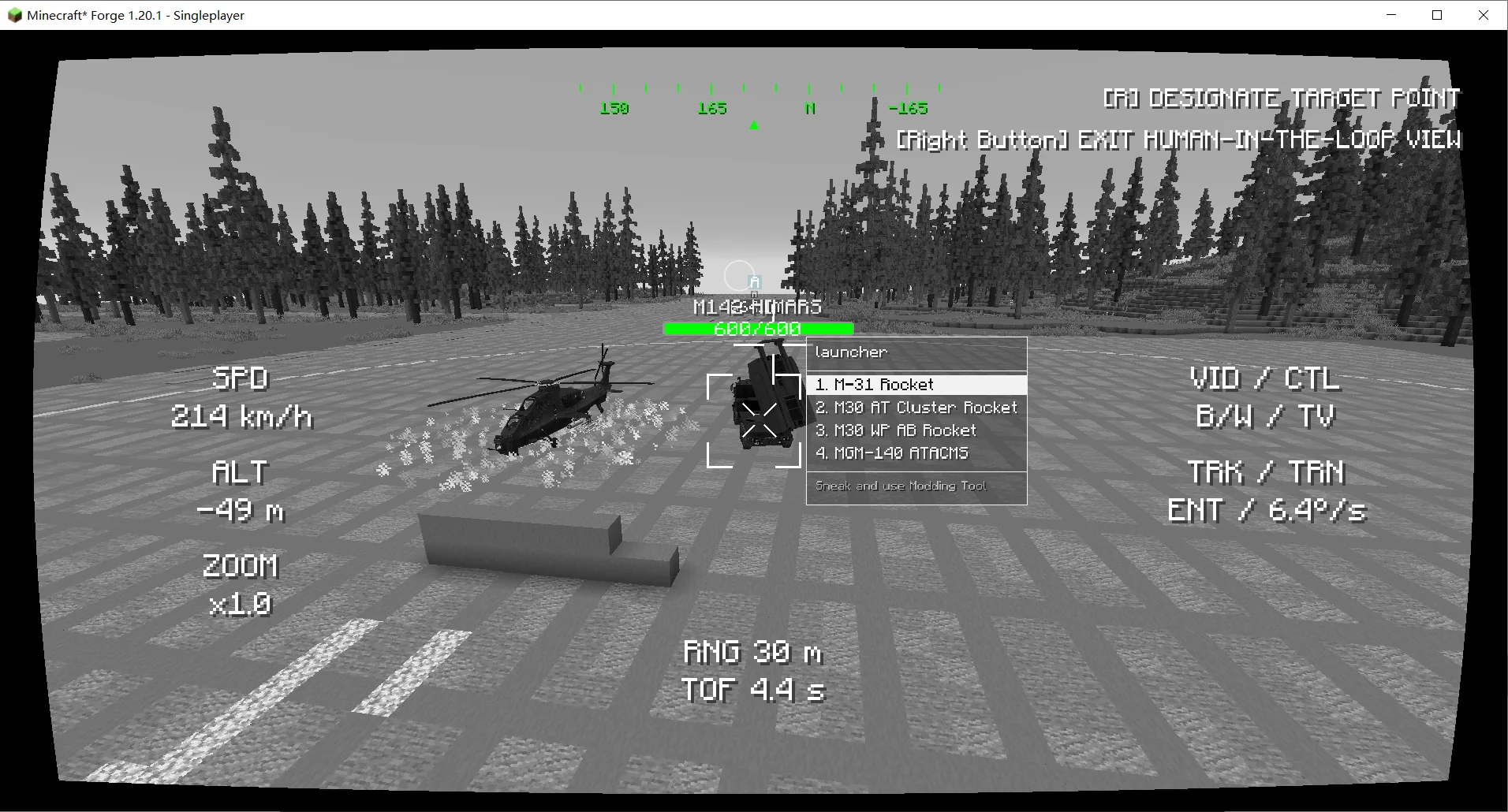
Figure 10.1 Man-in-the-loop missile.
HITL_CLOS_TV
- After launch, the same TV/thermal video feed opens.
- The operator directly controls the missile's control surfaces; a steering cursor is shown at the screen center, with no target anchoring step.
- The HUD shows speed, altitude, distance, flight time, turn rate, and operation hints.
- Also supports video-mode switching, mouse-wheel zoom, airburst detonation, and exit.
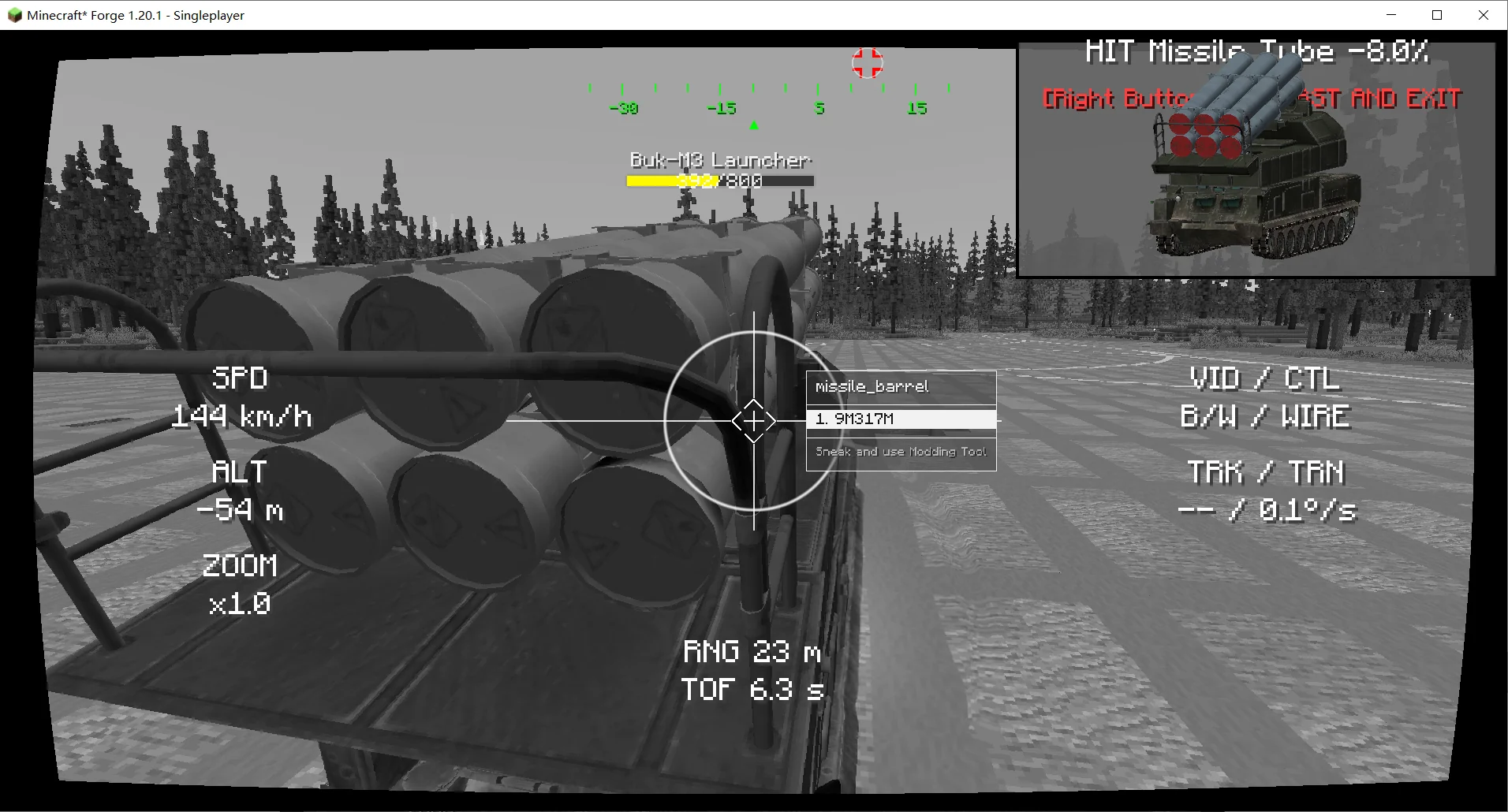
Figure 10.2 Man-in-the-loop missile (command-line TV).
10.2 HMD
- IR-guided missiles support HMD acquisition and off-boresight launch.
- Radar weapon stations support a radar HMD for quickly locking the direction being looked at.
10.3 Warnings and Indicators
- Laser illumination warning.
- Lock warning and missile-approach warning.
- Support equipment, DIRCM, ECM, APS, and countermeasure status.
- Hit markers, creature damage numbers, and module damage indicators.
- Action cards showing currently available actions and shortcuts.